
Choose apps and run a one-tap reset
Before resetting, select the apps you want to handle under Target Apps.
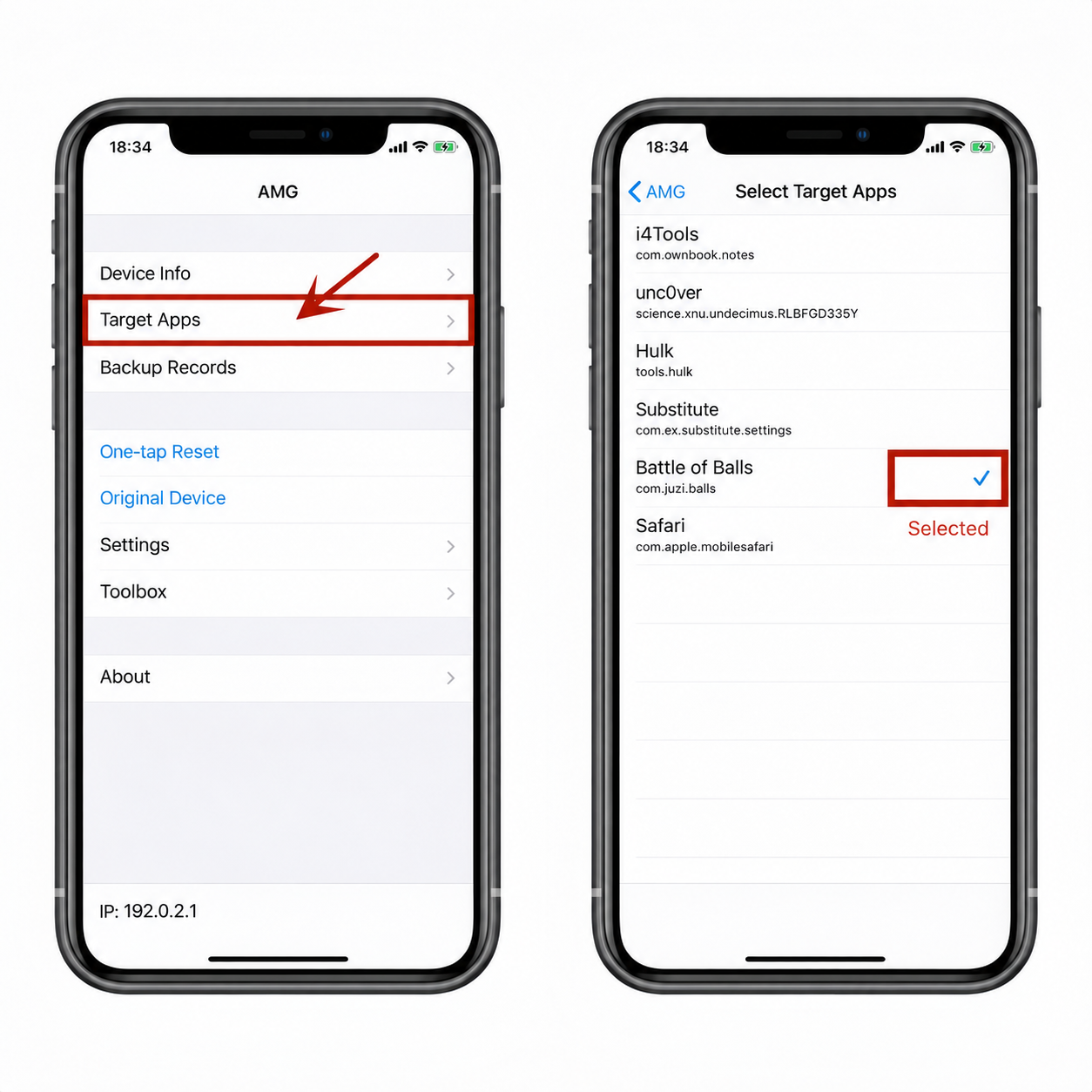
- Smart Airplane Mode for reset: AMG toggles Airplane Mode once after a one-tap reset.
- Smart Airplane Mode for record switching: AMG toggles Airplane Mode once after switching records.
- If the IP address does not change after a reset or record switch, the address at the bottom of the Home screen appears in red.
Location and device profile
- With location simulation and random location enabled, each reset chooses a random location nationwide. When random location is off, AMG uses the last location you set.
- To set a specific location, turn off random location, select a point, and submit it. Smart offset adds a small random displacement around the selected point.
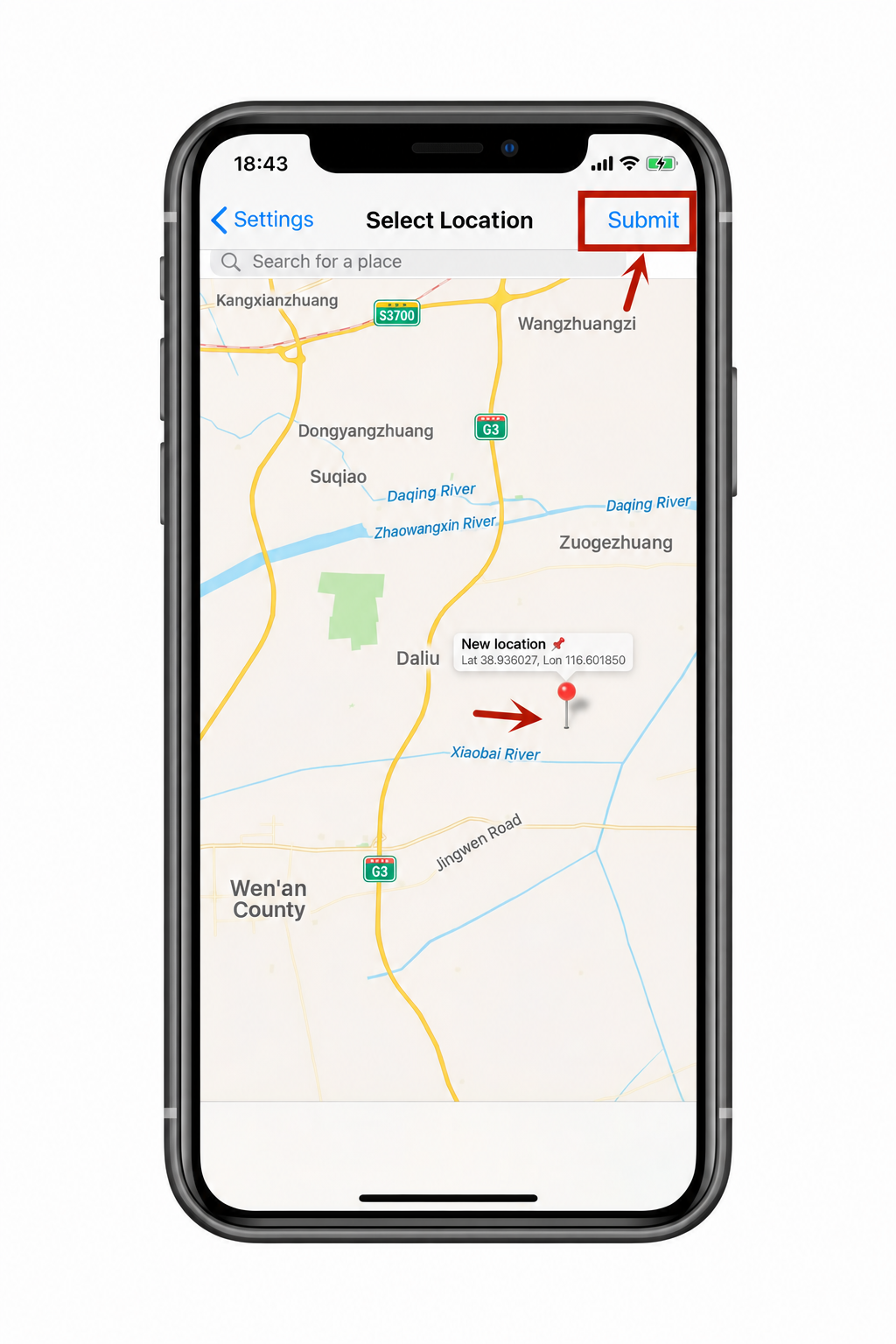
- Location simulation is unavailable while the original device record is active. On first use, check the app's location permission in iOS Settings → Privacy → Location Services and set a default location.
- Choose multiple OS versions, device models, network types, and carriers under random device settings. AMG selects one option on reset. To change a single setting, use its own menu.
- Jailbreak detection protection and its deeper mode may cause some apps to close unexpectedly. The hardware ID option is reserved and does not need to be enabled.
Import and export backups
Create the relevant folder manually if it does not exist.
NZT backups
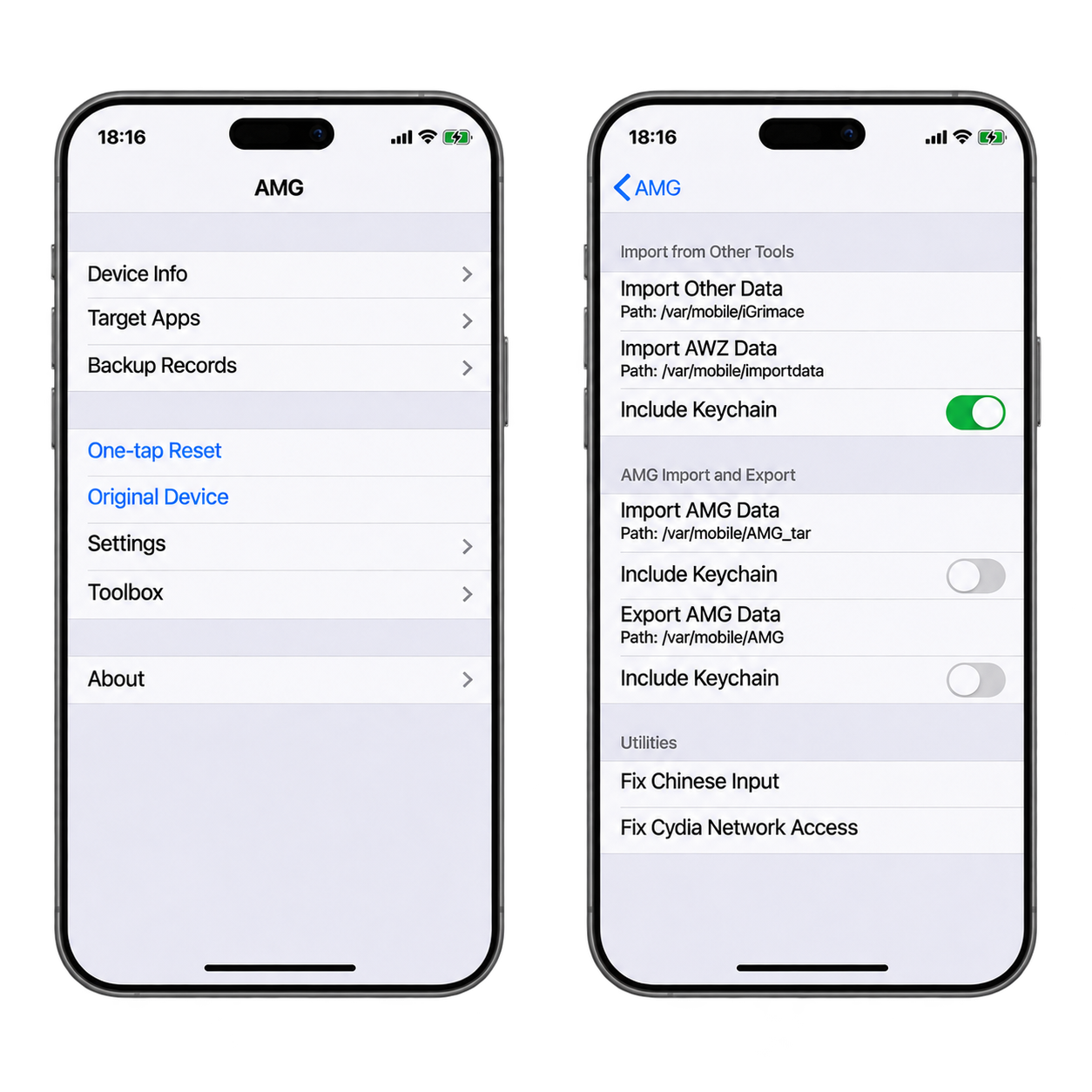
Copy the data into /var/mobile/iGrimace, then choose Import Other Data.
AWZ backups
Copy the data into /var/mobile/importdata, then choose Import AWZ Data.
AMG backups
Copy the records into /var/mobile/AMG_tar, then choose Import AMG Data.
Export AMG records
Choose Export AMG Data. AMG archives the records in /var/mobile/AMG_tar. Files with the same name in that folder are overwritten.
- Before restoring a record, select the corresponding apps under Target Apps.
- Keep Include Keychain off unless an app fails to open normally. Importing Keychain data can interfere with computer and Wi-Fi connectivity.
- Check that the device has enough storage before importing or exporting. Both operations copy files.